

Try it in your pool for 30 days. Exchange it for another Dolphin for free, or return it with no restocking fee.
Your bag is empty.
By feature
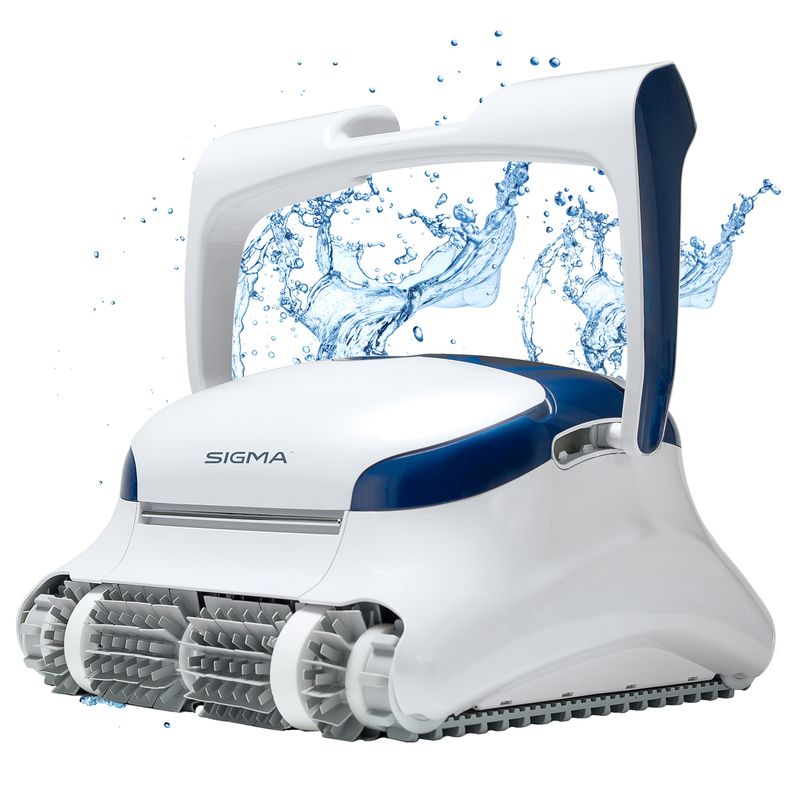
Top pick: Dolphin Sigma
$2349 today · Free shipping · 30 day trial
The short answer
Bluetooth lets your phone reach the robot's power supply from the deck with no home network, and only one robot in this guide lists it.
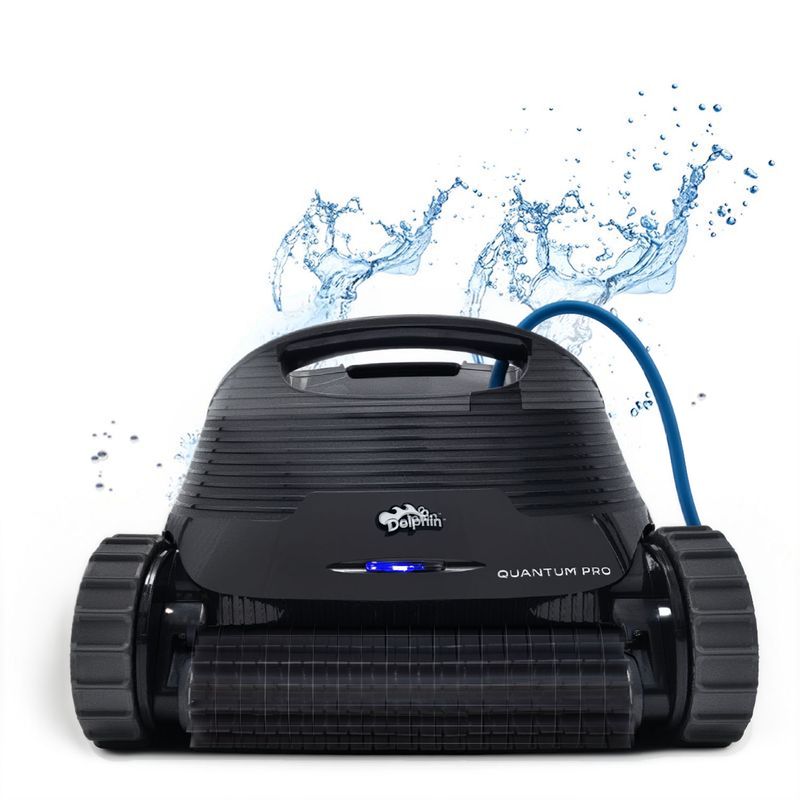
The Dolphin Sigma is the pick: it is the one robot here whose spec sheet states Bluetooth as well as Wi-Fi, so the myDolphin Plus app can reach it at the poolside without the home network. The Dolphin Quantum is the alternative if Wi-Fi covers your pool: the same app at a lower price, with no Bluetooth claimed.
Search for the best robotic pool cleaner with Bluetooth and you would expect a long list. In these guides it is a list of one. Among the five Dolphins compared here, only the Sigma's spec sheet states Bluetooth. We could pad the page with robots that sound connected. We would rather explain what Bluetooth is for and let you decide if you need it.
Here is the short version. Bluetooth is a direct, short-range link between your phone and the robot's power supply. It needs no router, so it works at a pool where the home Wi-Fi fades out. Wi-Fi is the long-range link, the one that lets you start a cycle from somewhere else. The Sigma has both. The Quantum uses Wi-Fi. The Premier, Cayman and Escape have no wireless control of any kind.
Our picks, in order
Temporarily out of stock
The one pick that lists Bluetooth
The Sigma is the only robot in this guide whose spec sheet states both Wi-Fi and Bluetooth for the myDolphin Plus app. That is why it is first, and on a strict reading it is the only answer to the search. With Bluetooth, your phone talks to the power supply directly at the poolside, so the app is usable even where the home network does not reach.
What the app controls is worth having: scheduling by weekday and start time, an alert when the filter needs rinsing, and voice control through Siri. The robot is the most capable here, with three ProLine motors, quad brushes, a gyroscope and a 3-year warranty, cleaning floor, walls and waterline in 2.5 hours. It is also the highest-priced.
Temporarily out of stock
The Wi-Fi alternative, for less
We are not claiming Bluetooth for the Quantum. Its myDolphin Plus app is listed for Wi-Fi, and that is how we present it: the alternative for owners whose real aim is phone control, not Bluetooth specifically. If your home network reaches the spot where the power supply will sit, the Quantum gives you start, stop, scheduling, cleaning modes and alerts at the lowest price of any 50 ft robot in this guide.
It also answers the worry behind many Bluetooth searches, which is distrust of the Wi-Fi at the pool. The Quantum's weekly timer is on the power supply, with presets for every day, every 2 days or every 3 days, and it needs no signal of any kind.
How to judge a robot for this
Bluetooth connects phone to power supply directly. Nothing depends on the house network, the internet provider or a password someone changed. For a pool at the far end of a long yard, or a property with patchy Wi-Fi, that is the whole appeal.
Bluetooth is a poolside tool. Expect it to work while you stand on the deck near the power supply, not from the kitchen or the car. We do not publish a range figure. If you need control from a distance, that is a job for Wi-Fi.
Setting up a connected robot is simpler when the phone can talk straight to the power supply in front of you. That is one of the two things Bluetooth is best at. The other is quick control while you are already outside.
A phone link changes how you start and schedule a robot. It does not change how it cleans. If you are happy to press a button on the power supply, or to set a timer once, you can skip Bluetooth and Wi-Fi and spend far less.
Side by side
| Specification | Dolphin Sigma | Dolphin Quantum |
|---|---|---|
| Price today | $2349 | $1599 |
| Cleans | Floor, walls and waterline | Floor, walls, waterline, sun shelves and stairs |
| Scheduling | Weekly scheduler by day and time | Weekly timer: every day, every 2 days or every 3 days |
| App | myDolphin Plus (Wi-Fi and Bluetooth) | myDolphin Plus (Wi-Fi) |
| Filtration | NanoFilters and standard filter cartridges | XXL MaxBin basket with standard and NanoFilter panels |
| Brushes | Quad scrubbing brushes | Dual HyperBrush |
| Navigation | SmartNav 3.0 with gyroscope | SmartNav 2.0 |
| Cable | 55 ft with 360° anti-tangle swivel | 55 ft with anti-tangle swivel |
| Warranty | 3 years | 2 years |
The two links do different jobs, and it is easy to pay for the wrong one. Bluetooth is the short lead: phone to power supply, nothing in between. Wi-Fi is the long lead: phone to internet to home router to power supply, which is more to go wrong and far more reach when it works.
Read the table with your own yard in mind. The question is not which technology is better. It is where you will be standing when you want the robot to do something.
| Question | Bluetooth | Wi-Fi |
|---|---|---|
| Reach | Poolside, near the power supply | Wherever your phone is online |
| Needs a home router | No | Yes, with signal at the power supply |
| Best use | Set-up and control on the deck | Starting or scheduling from elsewhere |
| Robots here that list it | Sigma | Sigma and Quantum |
This is the situation Bluetooth exists for. The router is at the front of the house. The pool is eighty feet behind it, past a brick wall and a metal patio cover. Phones drop to cellular halfway across the lawn. An app robot that depends on Wi-Fi alone will sit there offline.
With the Sigma you have a second route. Stand at the pool, open the app and connect over Bluetooth. What you give up is distance, so plan to make changes while you are outside. Check the app for which features need the Wi-Fi connection, because we will not promise that every function behaves the same on both links.
It is worth knowing how little a robot loses when it has no wireless link. Before paying the Sigma's price for Bluetooth, look at what the plain robots still do.
Questions, answered
Of the five Dolphins compared in this guide, the Sigma is the one whose spec sheet states Bluetooth, alongside Wi-Fi, for the myDolphin Plus app. The Quantum's app is listed for Wi-Fi. The Premier, Cayman and Escape have no wireless control and are run from the power supply.
We do not claim it. The Quantum's myDolphin Plus app is listed as running over Wi-Fi, and that is how we sell it. If Bluetooth specifically is what you need, because the home network does not reach your pool, choose the Sigma. If Wi-Fi does reach, the Quantum gives the same kind of phone control for less.
With the Sigma, yes, at the poolside. Bluetooth links your phone directly to the power supply with no router involved. You will need to be near the pool to use it, and starts from elsewhere will not work until Wi-Fi reaches the power supply.
Close enough to call it poolside. Bluetooth is a short-range link, and walls, metal and distance all weaken it. We do not publish a range in feet because it is not on the spec sheet and it varies with the phone and the yard. Plan on standing on the deck within sight of the power supply.
Not quite. None of the robots in this guide comes with a handheld remote. On the Sigma, the phone app is the controller, and Bluetooth is one of the two ways the phone reaches the power supply. If you want to start and stop a robot from the deck without walking to the power supply, that does the job.
Neither is better. They cover different distances. Bluetooth works at the pool with no home network. Wi-Fi works from a distance once the power supply is on the network. A robot with both, like the Sigma, is the most flexible. A robot with Wi-Fi alone, like the Quantum, is fine wherever the signal reaches the deck.
The verdict
Ask one question: does your home Wi-Fi reach the spot where the power supply will sit? If it does not, and you want app control, the Sigma is the answer, because Bluetooth gives it a poolside link no other robot here lists. If it does, the Quantum gives you the app for less. And if you would rather press a button than open an app, you need neither link. A power-supply timer will keep the pool clean without one.
Keep reading
